Advanced Calculus Lecture
Dec 21 · 10:00 AM
Academics
Morning Workout
Dec 21 · 7:00 AM ↻
Personal
Submit Research Proposal
✓ Completed
TaskFlow icon Productivity · Task Manager
Good Afternoon ✦

Tasks, organized.
Day, delivered.

A beautiful task manager with categories, calendar view, recurring tasks, productivity insights, and both light and dark modes — completely free and offline.

100% Free Categories & Lists Calendar view Dark mode Recurring tasks Insights
TaskFlow home screen
4
Filter views
Custom lists
2
Themes (light/dark)
0₹
Forever free
App Screenshots

See every screen.

Six screenshots — task list, categories/lists, Academics list, dark mode, calendar view, and productivity overview with insights.

Task views & lists
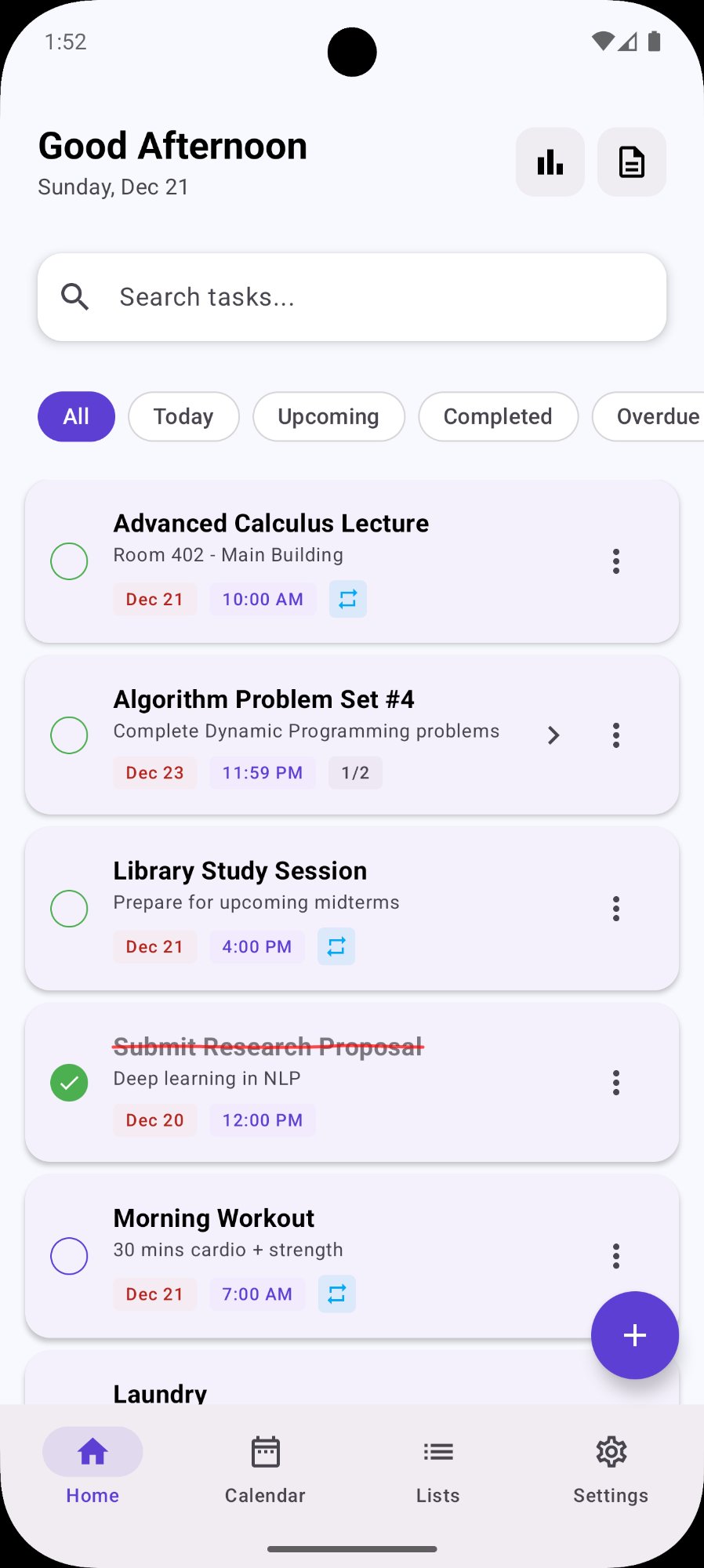
Task list home
Home task list
All/Today/Upcoming/Completed/Overdue filters
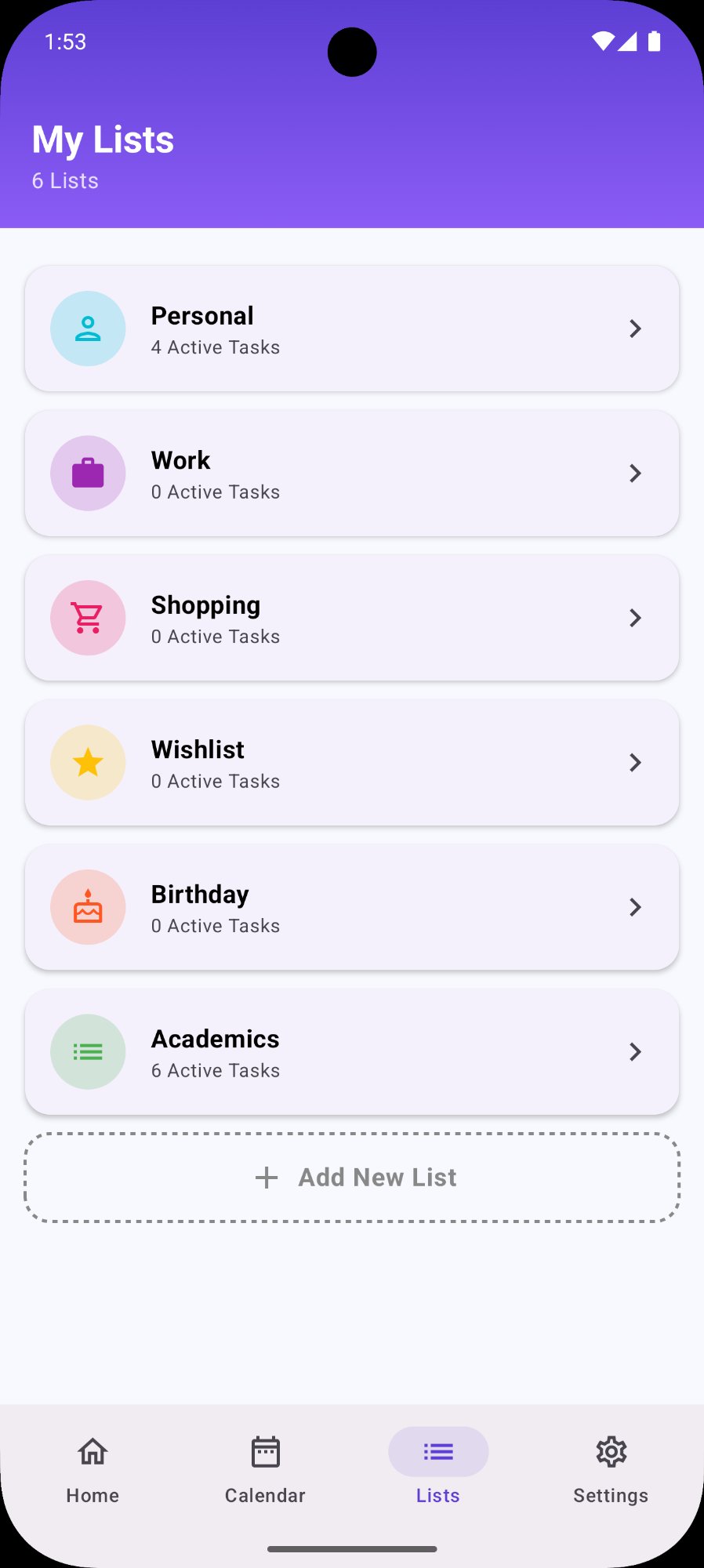
My Lists categories
My Lists
Personal, Work, Shopping, Academics and more
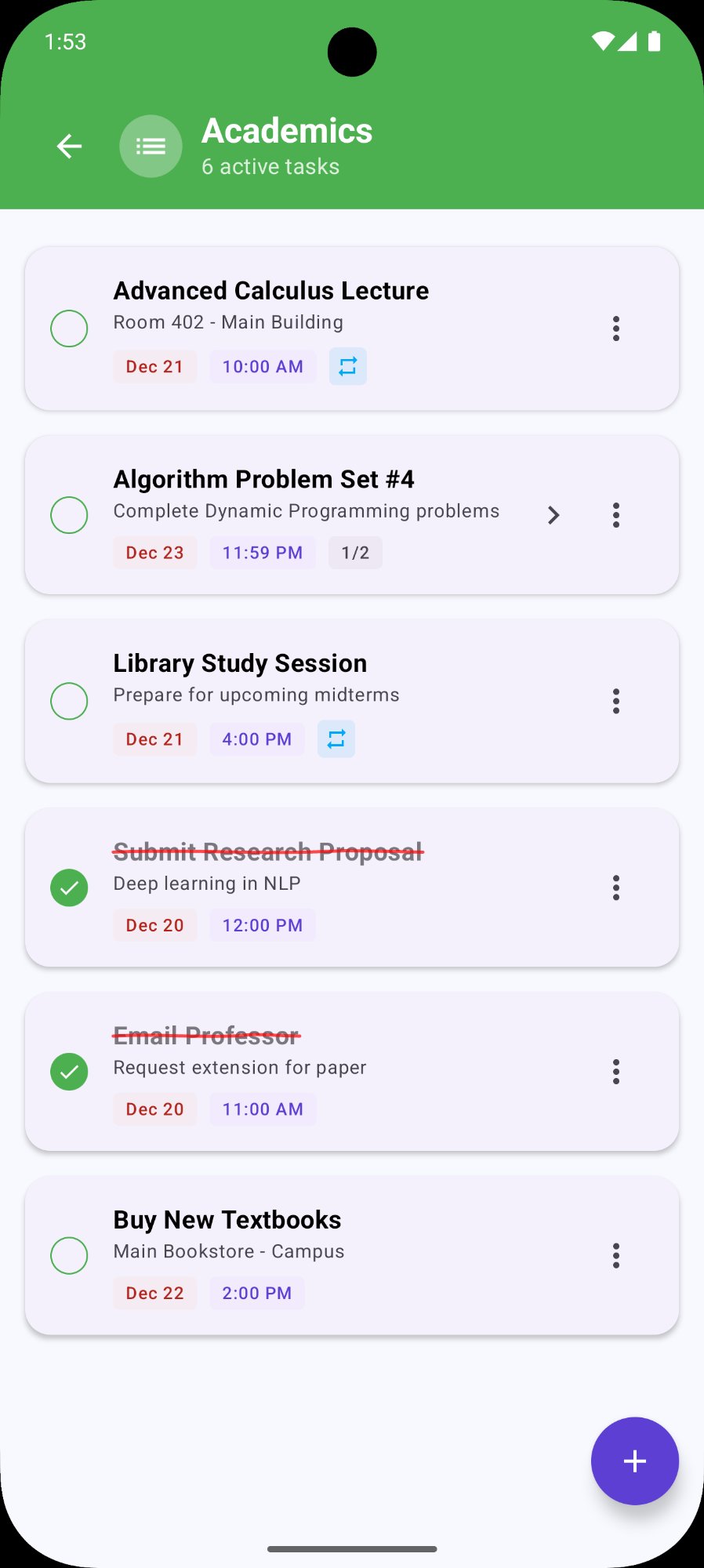
Academics list
Academics list
6 active tasks, green check for completed
Dark mode, calendar & insights
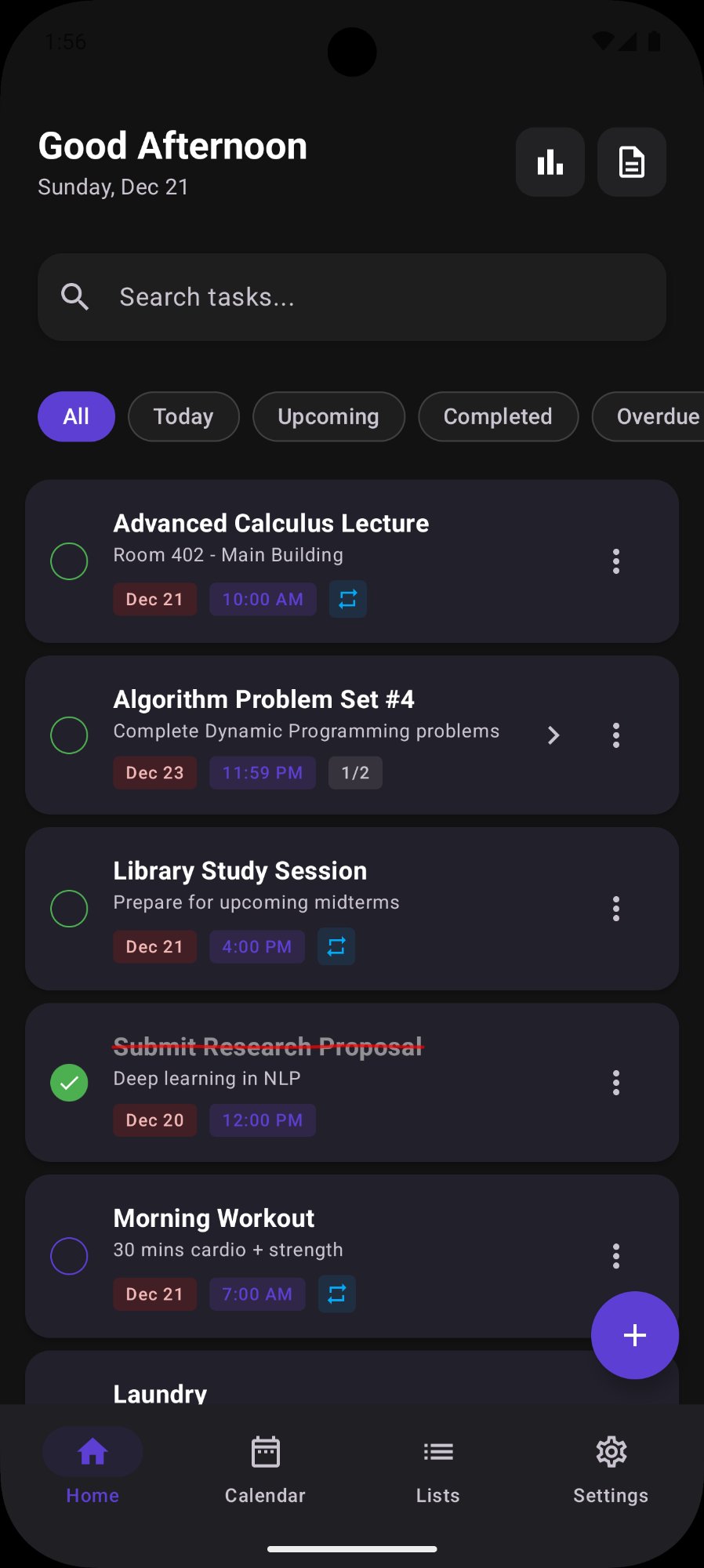
Dark mode
Dark mode
Same layout, rich dark background
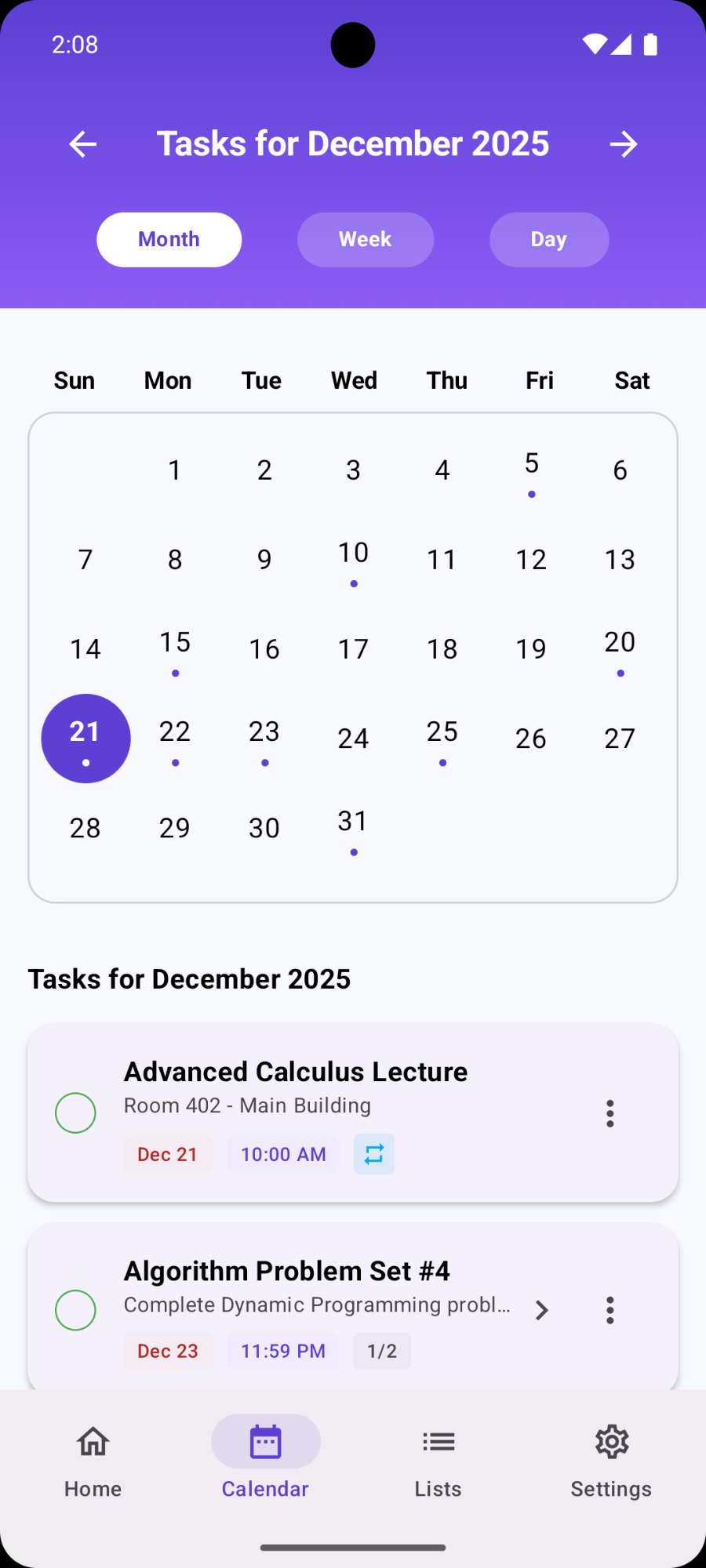
Calendar view
Calendar view
Month/Week/Day · dots mark task days
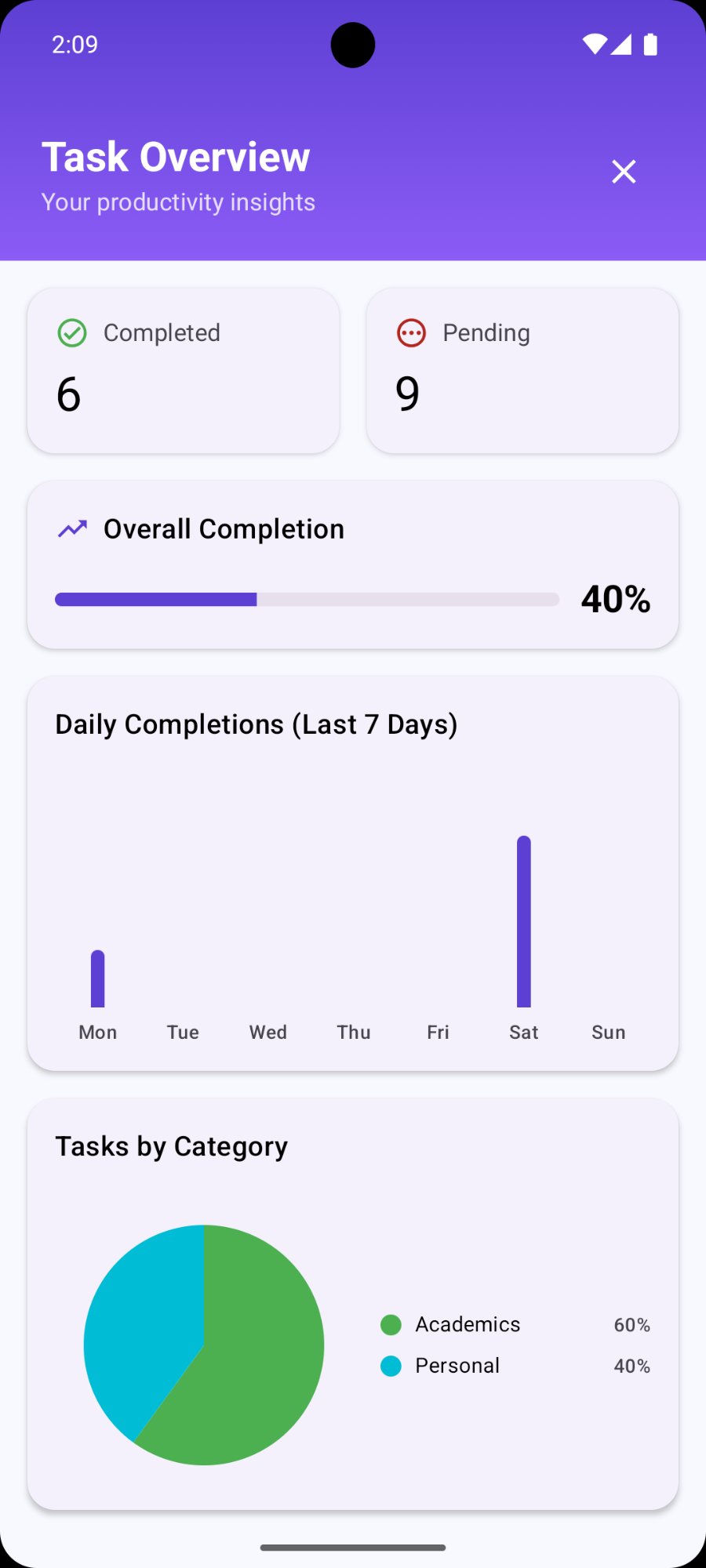
Task Overview insights
Task Overview
Completion rate, daily chart, tasks by category
Features

Everything you need
to stay on top.

Built for people who want a task manager that's actually pleasant to use every day — clean, fast, and thoughtful.

Smart task filters
Filter tasks by All, Today, Upcoming, Completed, or Overdue — one tap to switch views and instantly see what needs attention right now.
Custom lists & categories
Create unlimited custom lists — Personal, Work, Shopping, Academics, Wishlist, Birthday, or any category you need. Each list has its own icon and color.
Calendar view
See all your tasks on a monthly, weekly, or daily calendar. Dots mark days with tasks — tap any date to see what's scheduled. Switch between Month, Week, and Day.
Recurring tasks
Set tasks to repeat automatically with the recurring icon. Morning workouts, weekly reviews, or any habit you want to track — the app schedules them for you.
Productivity overview
The Task Overview panel shows your completion rate, daily completions chart for the last 7 days, and tasks broken down by category as a pie chart.
Sub-tasks support
Break complex tasks into sub-tasks — the Algorithm Problem Set shows 1/2 progress. Track partial completion and expand tasks to see all steps.
Two Themes

Light by day.
Dark by night.

Switch between the soft lavender light theme and the deep dark mode — same great interface, two completely different aesthetics.

Light Mode
Soft. Clean.
Easy on the eyes.

The default light theme uses a soft lavender background and clean white cards — gentle on the eyes in daylight, professional in meetings, easy to read at a glance.

Advanced Calculus Lecture
Submit Research Proposal
Morning Workout
Dark Mode
Rich. Bold.
Built for night.

The dark mode uses a deep charcoal background with glowing purple accents — easier on the eyes in low light, stylish in any setting, and kinder to your battery at night.

Library Study Session
Submit Research Proposal
Algorithm Problem Set #4
Specs at a glance

Everything included,
nothing extra to pay.

Price
Free
No purchases ever
Internet
Not needed
100% offline
Custom lists
Unlimited
Any category
Themes
2
Light + Dark
Calendar
Month/Week/Day
3 view modes
Recurring
Yes
Auto-repeat
Sub-tasks
Yes
Step tracking
Insights
Yes
Charts & stats
Who it's for

For anyone who has
things to get done.

Students, professionals, parents — TaskFlow works for every kind of daily planning.

01
Students
Track lectures, assignments, and study sessions in the Academics list. Use sub-tasks to break down complex problem sets and tick off progress step by step.
02
Working professionals
Separate Work tasks from Personal ones. Filter by Today to focus, check Upcoming to plan ahead, and review Overdue to catch anything that slipped.
03
Habit builders
Set recurring tasks for daily habits — morning workouts, evening journaling, weekly reviews. The app reschedules them automatically so they're always there.
04
Visual planners
The Calendar view gives a bird's-eye view of your month. See which days have tasks at a glance from the dot indicators, and jump to any date's tasks instantly.
05
Productivity trackers
The Task Overview dashboard shows your completion rate, daily completions chart, and tasks by category — real insight into your productivity patterns over time.
06
Night owls
Dark mode makes TaskFlow comfortable to use late at night — deep background, purple accents, and clear white text that won't strain your eyes before bed.

Get everything
done today.

Beautiful task management. Smart filters. Calendar view. Productivity insights. Light and dark modes. All free, all offline.

Download Free on Play Store
Made in India · By Zunnka · TaskFlow